Plan the day
Plan tomorrow's route in seconds.
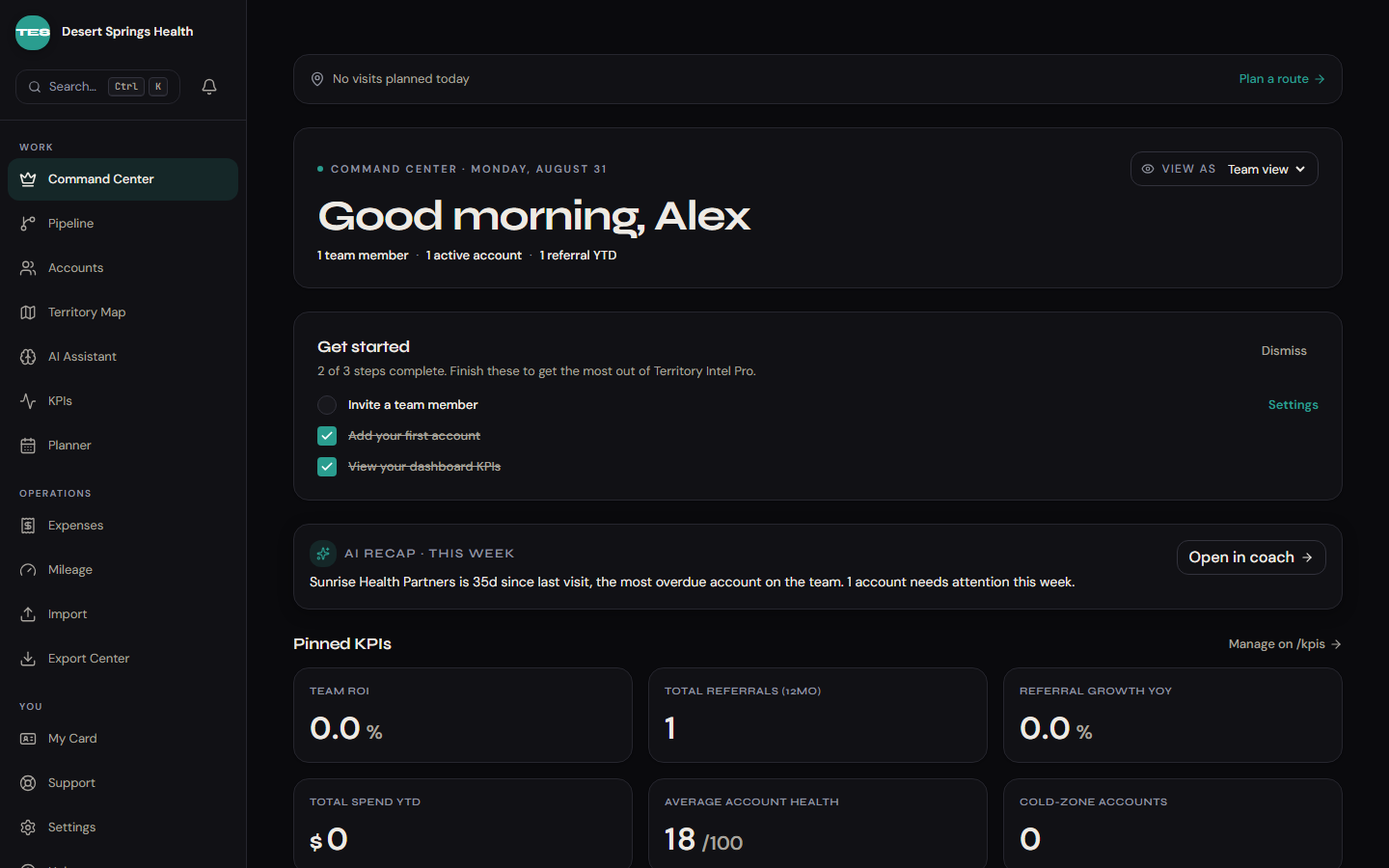
Tap "Plan route" and the planner pulls today's open accounts, ranks them by recency, and lays out a drive-time-optimal loop. Tweak with drag-and-drop, sync to your calendar.
Plan visits, coach reps with PHI-safe AI, track referrals end-to-end, and reimburse in one tap. Every feature is mobile-first and built for one-handed use between visits.
Tap "Plan route" and the planner pulls today's open accounts, ranks them by recency, and lays out a drive-time-optimal loop. Tweak with drag-and-drop, sync to your calendar.
Ask for a pitch, a follow-up email, or an objection-handling script. It reads your last visit note and redacts the patient name before anything leaves your phone.
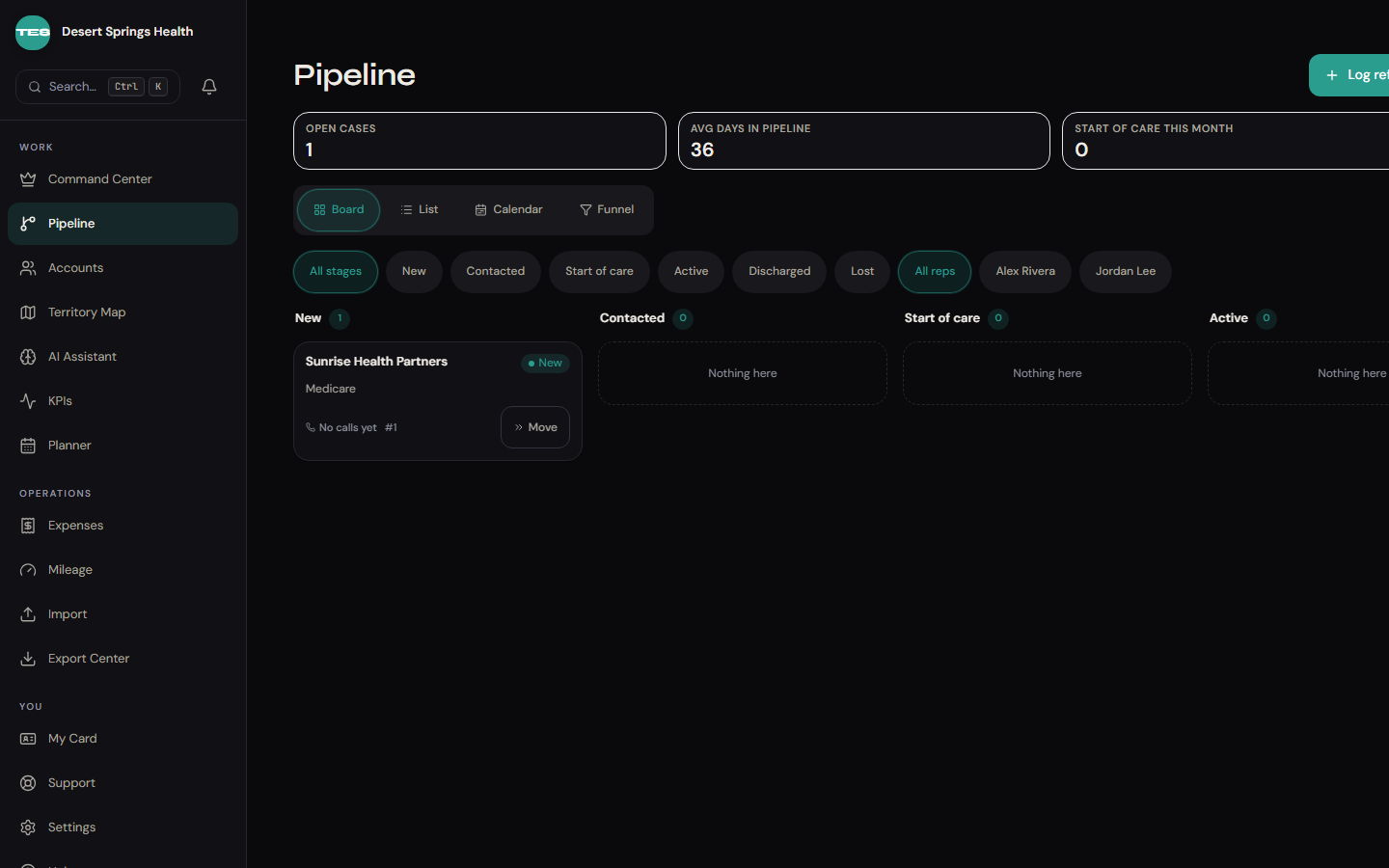
Drag-and-drop Kanban by stage, payer, and owner. Filter by source, age, and stalled. Stage transitions are one tap; stale referrals glow red after 7 days.
OCR pulls the amount, merchant, and date. End-of-month, export every receipt to a spreadsheet in one click. Keep records organized without missing mileage logs.
It knows every account on your territory. It reads your last visit note. It redacts the patient's name before anything reaches the model. Ask it for talking points, an elevator pitch, or a follow-up email — and it'll write it while you start the car.
PHI auto-redacted. Patient names, dates of birth, and phone numbers are stripped from every message before it reaches the model. Read how it works.
Live product · data blurred for privacy
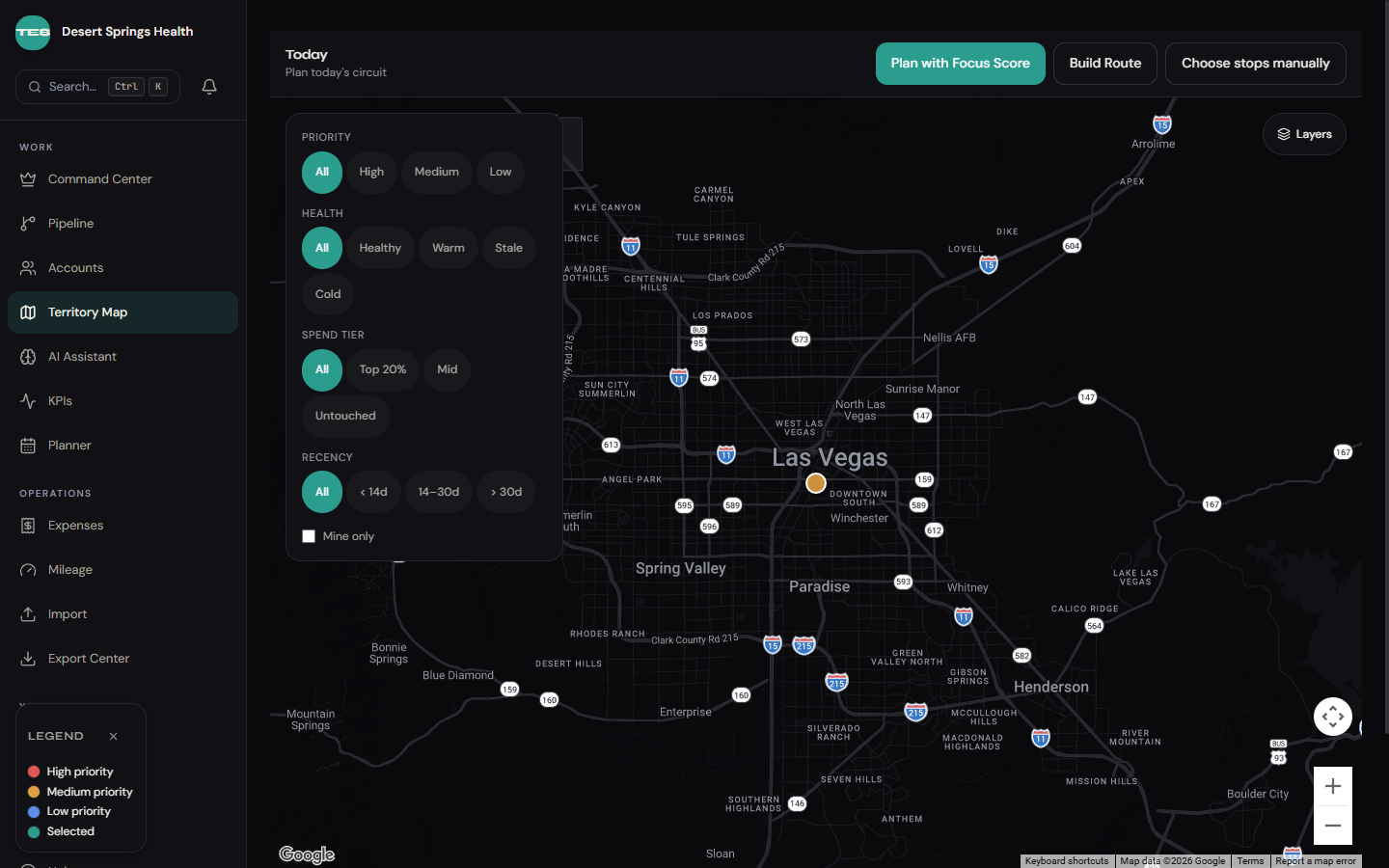
Pin every account, color-code by priority, and overlay the route you planned for today. Filter by payer, stage, or recency without losing your place on the map.
Snap a receipt, export it to a spreadsheet. No missing mileage logs.
1 · Snap
OCR pulls the amount, merchant, and date while you walk to your next visit.
2 · Confirm
Pre-filled expense appears in your queue. Adjust the category if needed.
3 · Export
End-of-month, export every receipt to a spreadsheet in one batch. Mileage auto-attaches.
Row-level security on every query. No patient identifiers, ever: our forms reject them on save. And the AI coach only ever sees redacted, de-identified context.
A rep can only see accounts on their own territory. Period. Enforced at the database, not the UI.
Patient identifiers are rejected before they are saved. Referrals carry an auto-assigned number, never a name, so there is nothing to leak.
Names, dates of birth, phone numbers, stripped from every message before it reaches the model. The coach never sees them.
We're built on infrastructure that already meets healthcare-adjacent baselines. Formal certification is on the roadmap.